

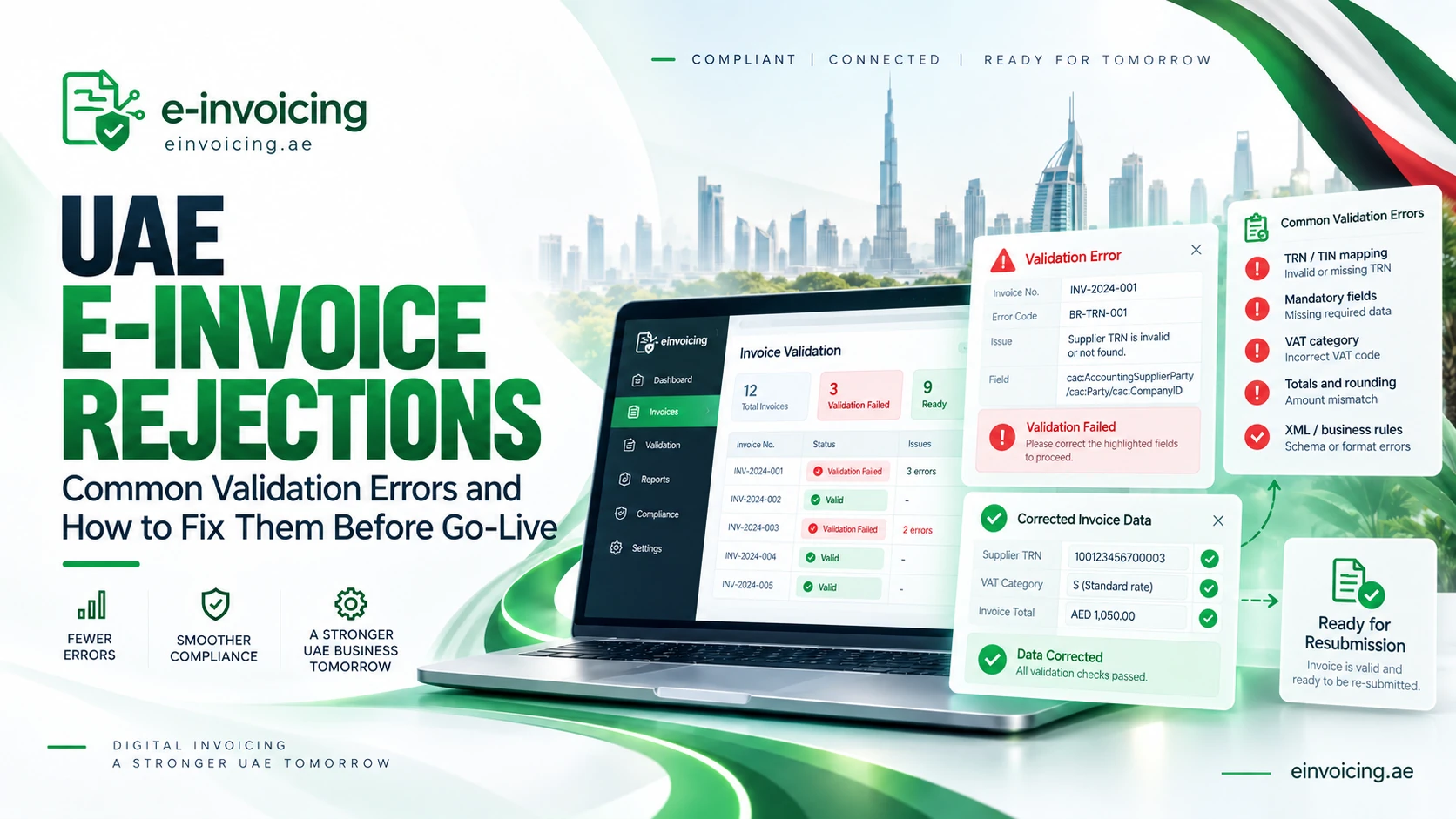
As UAE e-invoicing moves toward mandatory implementation, businesses need to prepare not only to generate structured invoices but also to manage invoices that fail technical or business-rule validation.
A UAE eInvoice is not simply a PDF sent electronically. The Ministry of Finance defines an eInvoice as structured invoice data issued and exchanged electronically between supplier and buyer and reported electronically to the Federal Tax Authority (FTA). PDFs, Word documents, scans, images and emails are not themselves eInvoices.
If required information is missing, incorrectly mapped or inconsistent with the applicable PINT AE rules, an invoice may fail validation and require corrective action.
It is also important to use the term “rejection” carefully. The UAE model separates invoice exchange from tax-data reporting. A failed validation status does not necessarily mean that the FTA has rejected the commercial transaction itself.
How UAE E-Invoice Validation Works
The supplier submits invoice data to its Accredited Service Provider (ASP). The supplier’s ASP validates the data and, where necessary, converts it into the UAE-standard XML format before transmitting the structured invoice to the buyer’s ASP. In parallel, the supplier-side ASP reports the relevant Tax Data Document (TDD) to the FTA.
The buyer’s ASP validates the received eInvoice and returns a Message Level Status (MLS) to the supplier’s ASP. Where validation is unsuccessful, a negative MLS is generated, and the buyer-side ASP does not report its TDD for that invoice until the relevant process succeeds. Invoice-exchange status and tax-data-reporting status should therefore be monitored separately.
Businesses should include these responses in their UAE e-invoicing readiness assessment.
Common UAE E-Invoice Validation Errors
Incorrect TIN, TRN or Electronic Address Mapping
TIN and TRN perform different functions and should not be treated as interchangeable.
The MoF states that a business’s e-invoicing Participant Identifier is based on its Tax Identification Number (TIN). For an entity already registered for tax, its TIN is the first 10 digits of its TRN. The MoF describes the Participant Identifier as scheme 0235 combined with the 10-digit TIN.
At PINT AE data-field level, the UAE seller and buyer electronic addresses use the TIN as the endpoint value and 0235 as the scheme identifier. The VAT identifier is a separate field in which the TRN is provided where applicable.
A business can therefore create problems by placing the full TRN where a TIN is expected, using another group company’s identifier, or incorrectly mapping VAT and endpoint fields.
How to fix it: Map TIN, TRN, legal registration details and electronic addresses separately for every legal entity. Validate the master data before integration testing.
See our UAE e-invoice mandatory fields guide for the wider data requirements.
Missing Mandatory Invoice Data
An invoice can appear complete to a person while still being incomplete for structured electronic processing.
The MoF mandatory-fields publication lists 51 numbered fields for an electronic Tax Invoice. The actual data requirements depend on document type and transaction circumstances. Those fields include invoice details, supplier and buyer information, tax data, totals and line-level information.
PINT validation rules also require core elements such as invoice number, issue date, invoice type, currency, seller and buyer names, addresses, totals and invoice lines.
How to fix it: Create a field-mapping document showing where each required value originates—ERP, POS, billing system, customer master or another source—and who owns corrections.
Incorrect VAT Category or VAT Rate
VAT configuration is an important intersection between technical validation and tax treatment.
Current UAE specifications contain rules for standard-rated, zero-rated, exempt, reverse-charge, outside-scope and other relevant scenarios. The PINT AE 1.0.4 release corrected validation logic relating to reverse charge, standard-rated VAT, multiple VAT categories and out-of-scope invoice types.
For example, current validation requires Standard Rated VAT categories to use the UAE 5% rate, while reverse-charge rules apply different treatment.
How to fix it: Map ERP tax codes to the correct PINT AE VAT categories and test each material transaction type. Never change the VAT treatment merely to make an invoice pass technical validation. Tax treatment should first be determined under UAE VAT law.
Totals, Rounding and Line-Level Calculation Errors
Structured invoices must maintain mathematical consistency between quantities, prices, allowances, charges, taxable amounts, VAT and invoice totals.
PINT AE contains business rules that recalculate line net amounts and verify VAT breakdowns, allowances and charges. A PDF may visually appear correct while the underlying XML fails these mathematical validations.
How to fix it: Reconcile values from invoice line level through to the amount payable. Test discounts, charges, partial adjustments, multiple VAT categories and rounding configurations rather than validating only simple invoices.
Foreign-Currency and AED Amount Errors
Foreign-currency invoices require additional configuration.
Current PINT AE rules require an exchange rate when the invoice currency differs from AED. Where invoice currency is not AED and the tax accounting currency is AED, the invoice must contain the VAT amount in the tax accounting currency and the invoice or credit-note total including VAT in AED.
UAE specifications also contain AED reporting requirements at line level.
How to fix it: Test every material foreign currency used by the business. Confirm exchange-rate logic, AED VAT values, totals and rounding, including the same tests for credit notes.
Incorrect Invoice Type or Transaction Scenario
UAE e-invoicing does not use one identical configuration for every transaction.
The MoF framework recognises different document types and transaction scenarios, including Tax Invoices, Commercial Invoices, credit notes, exports, free-zone transactions, deemed supplies, margin schemes, summary invoices, continuous supplies, disclosed-agent billing and e-commerce transactions. Self-billing is also covered through dedicated PINT AE Self-Billing specifications.
Choosing the wrong document type or transaction flag can cause rules to be applied incorrectly.
How to fix it: Create a transaction matrix mapping real business scenarios to the correct document type, VAT treatment, transaction flags and ERP configuration.
For applicability, see our UAE e-invoicing scope and exclusions guide.
Credit Note Reference and Adjustment Errors
A structured credit note is not simply an invoice with a negative total.
The applicable credit-note structure and business rules must be followed. Current UAE rules also require a credit-note reason code where the document type is a credit note.
References and supporting information should also correctly link the adjustment to the underlying transaction where required.
How to fix it: Test full cancellations, partial refunds, price reductions, volume discounts and other adjustment scenarios relevant to the business. Confirm that the structured document, VAT adjustment and accounting entry all produce the intended result.
Invalid Business Process, Codes or XML Values
Some failures are purely technical.
Examples can include an invalid business-process identifier, unsupported codes, incomplete mandatory addresses or non-numeric data entered into numeric fields. PINT AE 1.0.4 tightened Profiled validation and added safeguards so malformed decimal and VAT-percentage values generate validation errors instead of causing validator runtime failures.
How to fix it: Ensure the ERP, middleware and ASP use current PINT AE validation artefacts. Error logs should expose the relevant validation message or rule instead of displaying only a generic “invoice failed” message.
How Businesses Should Handle a Failed E-Invoice
Do not automatically resend every failed document.
First determine whether the issue relates to source data, tax configuration, ERP mapping, XML generation, ASP validation, invoice exchange or TDD reporting. Then establish the document’s current status and follow the appropriate correction or retransmission process.
Master-data problems should be assigned to the data owner, tax-treatment questions to finance or tax specialists, and XML or integration problems to the ERP, integration or ASP team.
Preserve the validation message, corrective action and successful retest as part of the implementation evidence.
Businesses should also review their ERP readiness for UAE e-invoicing before final go-live testing. The MoF specifically expects businesses to work with their ASP on system customisation and testing of invoice-data transmission.
Pre-Go-Live Validation Checklist
Before production launch, businesses should test:
- TIN, TRN and legal-entity mapping;
- seller, buyer and mandatory invoice fields;
- all relevant VAT categories and rates;
- totals, allowances, discounts, charges and rounding;
- foreign-currency invoices and AED amounts;
- normal invoices and credit notes;
- relevant special transaction scenarios;
- incoming and outgoing invoice workflows;
- negative MLS and validation-error routing;
- retransmission and duplicate-prevention controls;
- invoice-exchange versus TDD-reporting statuses; and
- retrieval of structured invoices, confirmations and related records.
Do not restrict testing to one successful “happy path.” Deliberately test incomplete and incorrect data so finance and IT teams know exactly how the system behaves when an invoice fails.
Reduce UAE E-Invoice Validation Failures Before Go-Live
The most effective way to manage validation risk is to resolve issues before production begins.
Clean master data, correct TIN/TRN configuration, accurate VAT mapping, complete structured invoice fields and end-to-end ASP testing should be part of the implementation programme. The MoF Guidelines expressly require businesses to prepare their systems, test with their ASP and ensure that confirmation messages for required Tax Data reporting are received.
ASP selection also matters. Integration capability, current PINT AE support, validation visibility, exception handling and technical support can materially affect day-to-day operations. See our UAE Accredited Service Provider guide.
A technically successful connection alone does not demonstrate operational readiness. Finance, tax and IT teams should be able to identify why a document failed, determine whether the issue affects invoice exchange or tax-data reporting, correct the underlying problem and confirm that the transaction completed successfully.
eInvoicing.ae can support businesses with readiness assessments, invoice-data reviews, ERP mapping, ASP coordination and pre-go-live testing to identify critical validation issues before mandatory implementation.